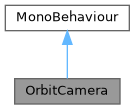
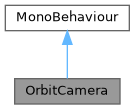
Spherical-coordinate camera that orbits around a target Transform. More...
Public Member Functions | |
| void | ToggleAutoRotate () |
| Flips the auto-rotation state. | |
| void | ResetView () |
| Resets yaw, pitch and distance to their default showcase values. | |
Public Attributes | |
Target | |
| Transform | target |
| The point the camera orbits around. | |
| float | distance = 3f |
| Current distance from target in world units. | |
Auto Rotation | |
| float | autoRotateSpeed = 20f |
| Degrees per second of automatic yaw rotation. | |
| bool | autoRotate = true |
| Whether the camera is currently auto-rotating. | |
Manual Orbit | |
| float | mouseSensitivity = 200f |
| Mouse sensitivity in degrees per pixel-second. | |
| float | minVerticalAngle = -20f |
| Minimum pitch (vertical) angle in degrees. | |
| float | maxVerticalAngle = 70f |
| Maximum pitch (vertical) angle in degrees. | |
Zoom | |
| float | scrollSensitivity = 5f |
| Scroll-wheel zoom sensitivity (world units per scroll unit). | |
| float | minDistance = 1.5f |
| Closest allowed distance to the target. | |
| float | maxDistance = 8f |
| Farthest allowed distance from the target. | |
Properties | |
| bool | IsAutoRotating [get] |
Returns true when auto-rotation is active. | |
Detailed Description
Spherical-coordinate camera that orbits around a target Transform.
Supports three interaction modes:
- Auto-rotation: constant yaw increment each frame (idle showcase).
- Mouse drag: left-button drag overrides auto-rotation while held.
- Scroll zoom: mouse wheel adjusts the orbital radius.
Attach to the Main Camera. Assign target in the Inspector or via ProductVisualizerSetup, which creates a dedicated Camera Target object at the product's centre of mass.
- Usage example
- // Toggle auto-rotation from UIGetComponent<OrbitCamera>().ToggleAutoRotate();// Reset to default framingGetComponent<OrbitCamera>().ResetView();
Definition at line 28 of file OrbitCamera.cs.
Member Function Documentation
◆ ResetView()
| void OrbitCamera.ResetView | ( | ) |
Resets yaw, pitch and distance to their default showcase values.
Definition at line 170 of file OrbitCamera.cs.
References distance.
◆ ToggleAutoRotate()
| void OrbitCamera.ToggleAutoRotate | ( | ) |
Flips the auto-rotation state.
Called by VisualizerUI when the user presses the Auto-Rotate button.
Member Data Documentation
◆ autoRotate
| bool OrbitCamera.autoRotate = true |
Whether the camera is currently auto-rotating.
Set to false while the user drags; restored on mouse-up.
Definition at line 56 of file OrbitCamera.cs.
◆ autoRotateSpeed
| float OrbitCamera.autoRotateSpeed = 20f |
Degrees per second of automatic yaw rotation.
Definition at line 52 of file OrbitCamera.cs.
◆ distance
| float OrbitCamera.distance = 3f |
Current distance from target in world units.
Clamped at runtime between minDistance and maxDistance.
Definition at line 44 of file OrbitCamera.cs.
Referenced by ResetView().
◆ maxDistance
| float OrbitCamera.maxDistance = 8f |
Farthest allowed distance from the target.
Definition at line 84 of file OrbitCamera.cs.
◆ maxVerticalAngle
| float OrbitCamera.maxVerticalAngle = 70f |
Maximum pitch (vertical) angle in degrees.
Definition at line 70 of file OrbitCamera.cs.
◆ minDistance
| float OrbitCamera.minDistance = 1.5f |
Closest allowed distance to the target.
Definition at line 81 of file OrbitCamera.cs.
◆ minVerticalAngle
| float OrbitCamera.minVerticalAngle = -20f |
Minimum pitch (vertical) angle in degrees.
Definition at line 67 of file OrbitCamera.cs.
◆ mouseSensitivity
| float OrbitCamera.mouseSensitivity = 200f |
Mouse sensitivity in degrees per pixel-second.
Definition at line 64 of file OrbitCamera.cs.
◆ scrollSensitivity
| float OrbitCamera.scrollSensitivity = 5f |
Scroll-wheel zoom sensitivity (world units per scroll unit).
Definition at line 78 of file OrbitCamera.cs.
◆ target
| Transform OrbitCamera.target |
The point the camera orbits around.
Typically the geometric centre of the displayed product. Created automatically by ProductVisualizerSetup.
Definition at line 40 of file OrbitCamera.cs.
Property Documentation
◆ IsAutoRotating
|
get |
Returns true when auto-rotation is active.
Definition at line 167 of file OrbitCamera.cs.
The documentation for this class was generated from the following file:
- UnityVisualizer/Assets/ProductVisualizer/Scripts/OrbitCamera.cs